The problem
Many teams track their work in a spreadsheet: one row per task, a status column, and filters that each person sets differently. It works, but nobody can see at a glance what's in progress, what's stuck or what's due. Online task boards solve that, but they bring accounts, licences and a new home for the team's data.
The approach
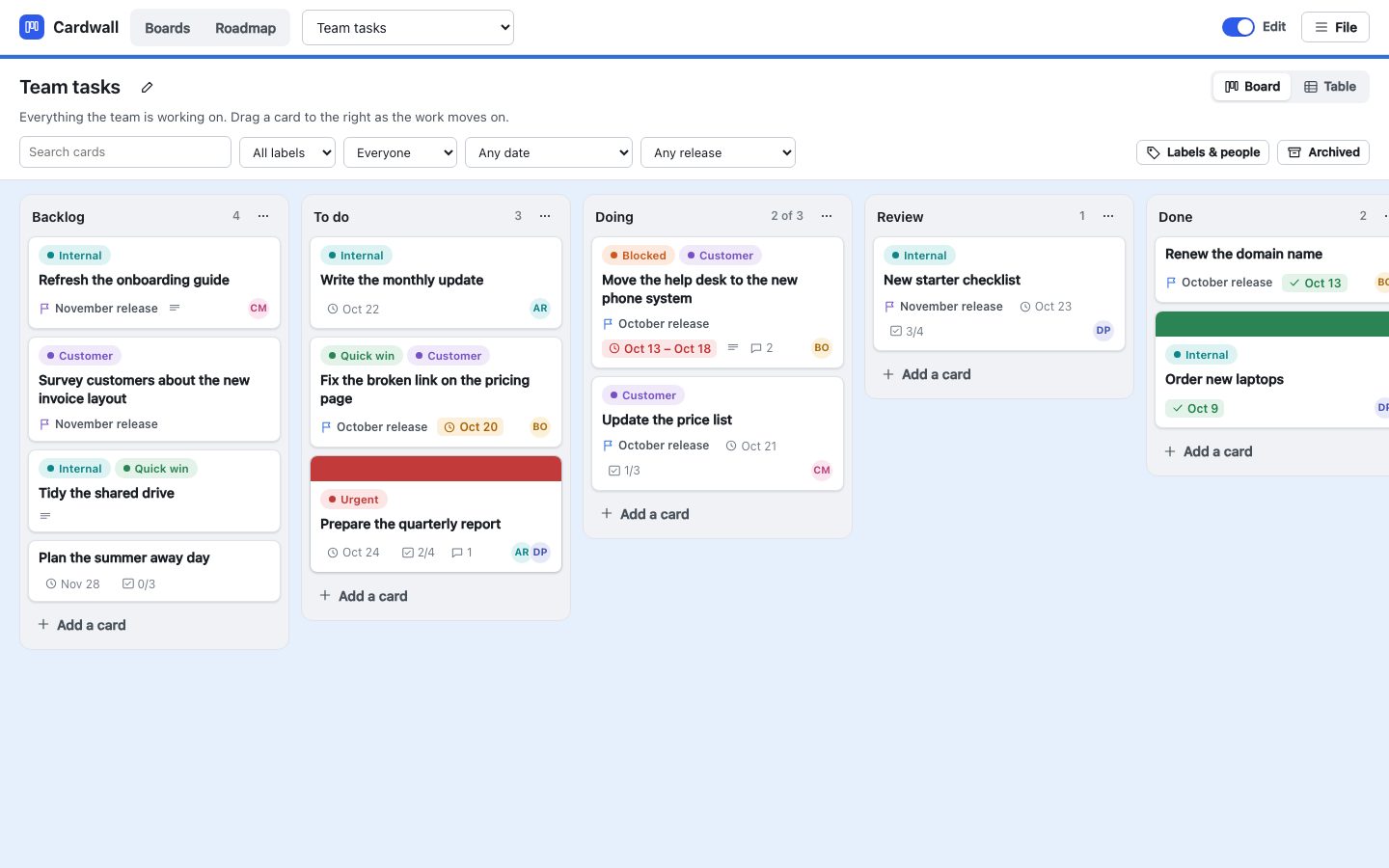
Cardwall draws a card board on top of a workbook. Boards hold lists, lists hold cards, and dragging a card writes the move straight into the file, with a short "Saved to Excel" message to confirm it. The workbook stays a plain spreadsheet the team can open, filter and edit in Excel. A Cards tab with just a Title and a List column is enough to start.
The workbook
One table per tab: Boards, Lists, Cards, Checklists, Comments, Labels, People and Releases. Columns are found by name, so a team can reorder them or add its own, and Cardwall keeps any columns and tabs it doesn't know about. In Excel, people can type a list's or board's name instead of its ID, and Cardwall writes the IDs back on its next save.
| Card | Board | List | Title | Labels | People | Due | Release | |
|---|---|---|---|---|---|---|---|---|
| 2 | 6 | B1 | L2 | Fix the broken link on the pricing page | Quick win, Customer | Ben Okafor | 17/10/2026 | R1 |
| 3 | 7 | B1 | L2 | Prepare the quarterly report | Urgent | Ana Ruiz, Dev Patel | 24/10/2026 | |
| 4 | 8 | B1 | L3 | Move the help desk to the new phone system | Blocked, Customer | Ben Okafor | 15/10/2026 | R1 |
What it does
- Boards, lists and cards: drag cards between lists and lists by their titles, or use the keyboard. On a phone, press and hold a card to drag it.
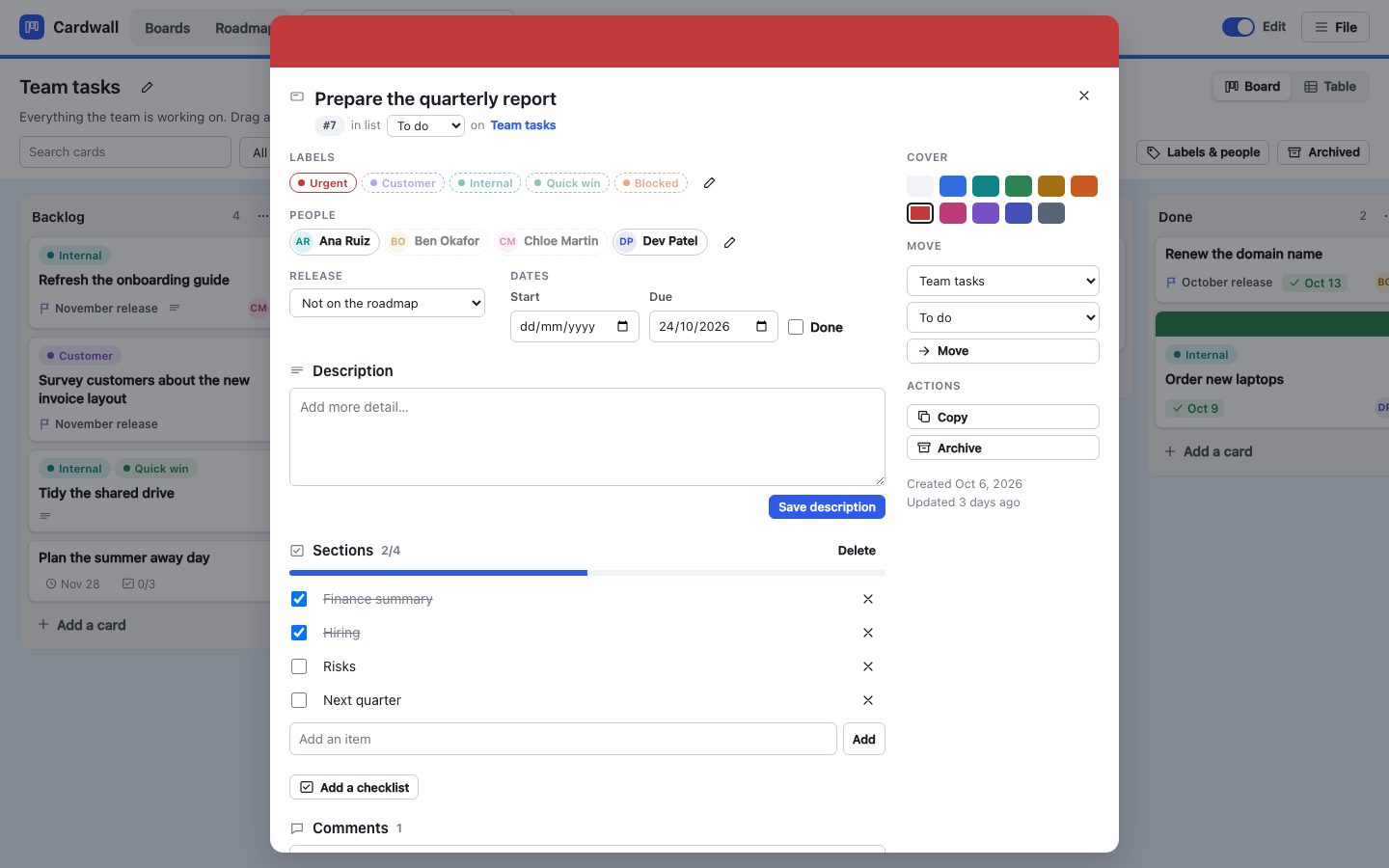
- Cards with detail: labels, people, start and due dates, a Done tick, a cover colour, a description, checklists and comments.
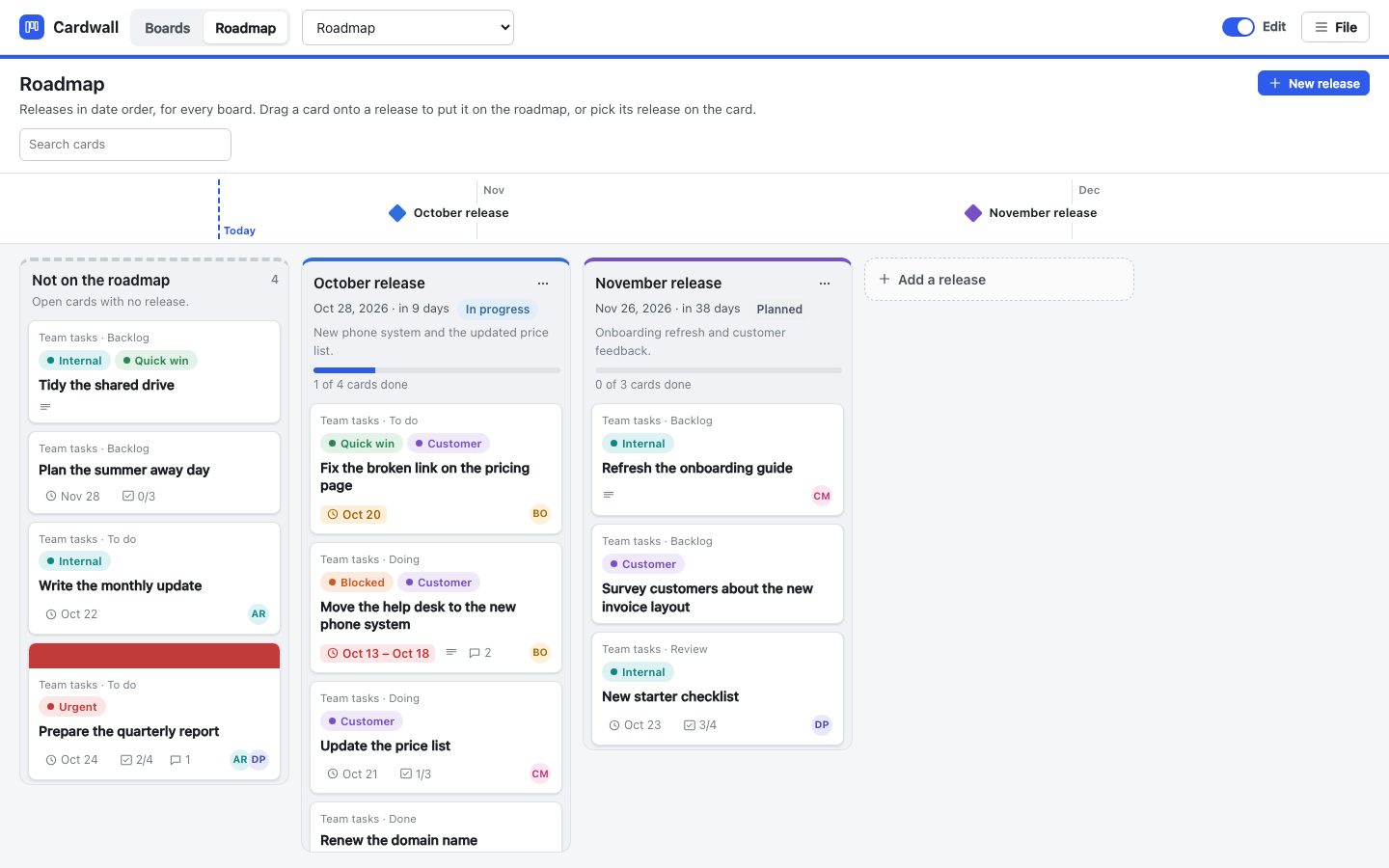
- A roadmap of releases shared by every board. Drag cards onto a release and see its countdown and how many of its cards are done.
- Search and filters by label, person, due date or release, plus a Table view of the same cards as rows.
- Card limits: a list's count turns red when it goes over its limit.
- An Edit switch: with it off, the page is read-only and safe to show on screen.
Governance built in
- The workbook is the record. Every value on screen comes from the file, and every change is written back to it straight away.
- Hand edits are made safe: missing IDs are filled in, names typed instead of IDs are resolved, and a new label or person on a card is added to its tab.
- Nothing is lost by accident: lists, cards and boards can be archived and put back.
- Private by default. There's no server and no account, and the file never leaves the machine.
On your own computer
Cardwall is there to make the job easier, not to add another system to look after. Open it on this site, or download the zip, unzip it and open the file in your browser. Either way, your workbook stays on your computer.
That makes it a fit for organisations that are strict about who owns the data and what gets bought. There's no contract to sign, no new system to bring through procurement and no outside service holding the data. It works with the PC, the browser and the files people already have, inside the rules as they stand.
- Works offline. It never loads anything from the web, so it needs no internet connection.
- Nothing to install: no installer and no admin rights, so there's no wait for IT to approve new software on a locked-down PC.
- No licences or accounts: nothing to buy, no subscription and no sign-in.
- Excel not required. It reads and writes .xlsx files itself, and the workbook still opens in Excel for anyone who has it.
- Which browser: in Chrome or Edge, every change saves straight into the workbook; Safari and Firefox can open and edit it, and save a copy.
Where AI fits
I designed and specified Cardwall and built it with an AI pair-programmer, starting from the workbook engine I'd built for Projector. Its tests drive the real page in a headless browser against workbooks held in memory, and read every save back with a separate spreadsheet library. They also fail if any client name appears in anything that ships.