The problem
Teams that improve a process usually keep two things apart: a diagram of how the work flows (in a drawing tool, out of date by the next meeting) and a list of changes they want (in a spreadsheet or a ticket system, with no link to the steps they change). Neither tells you which release changes which step, or who a change is waiting on.
Heavier tools solve this but bring licences, logins and a new database to look after, and the data ends up somewhere the team can't see it.
The approach
Projector puts both in one workbook with one table per tab: roles, workflows, steps, links, releases, changes and comments. The page opens that workbook in the browser, draws everything from it and writes every edit straight back into the file. Nothing is uploaded, and if Projector disappeared tomorrow the team would still have a tidy, readable spreadsheet.
It grew out of a tool built for a portal rollout. Projector is the clean, generic version: rebuilt from scratch, carrying no client's names or data, with templates to get started.
The workbook
Projector has no database of its own. The workbook is the database: one table per tab, with the header in the first row. Anyone can open it in Excel without Projector, and Projector keeps any columns or tabs a team adds. A new project can even start from an existing spreadsheet: import any .xlsx or .csv with one row per step, and Projector guesses which columns hold the workflow, step and role.
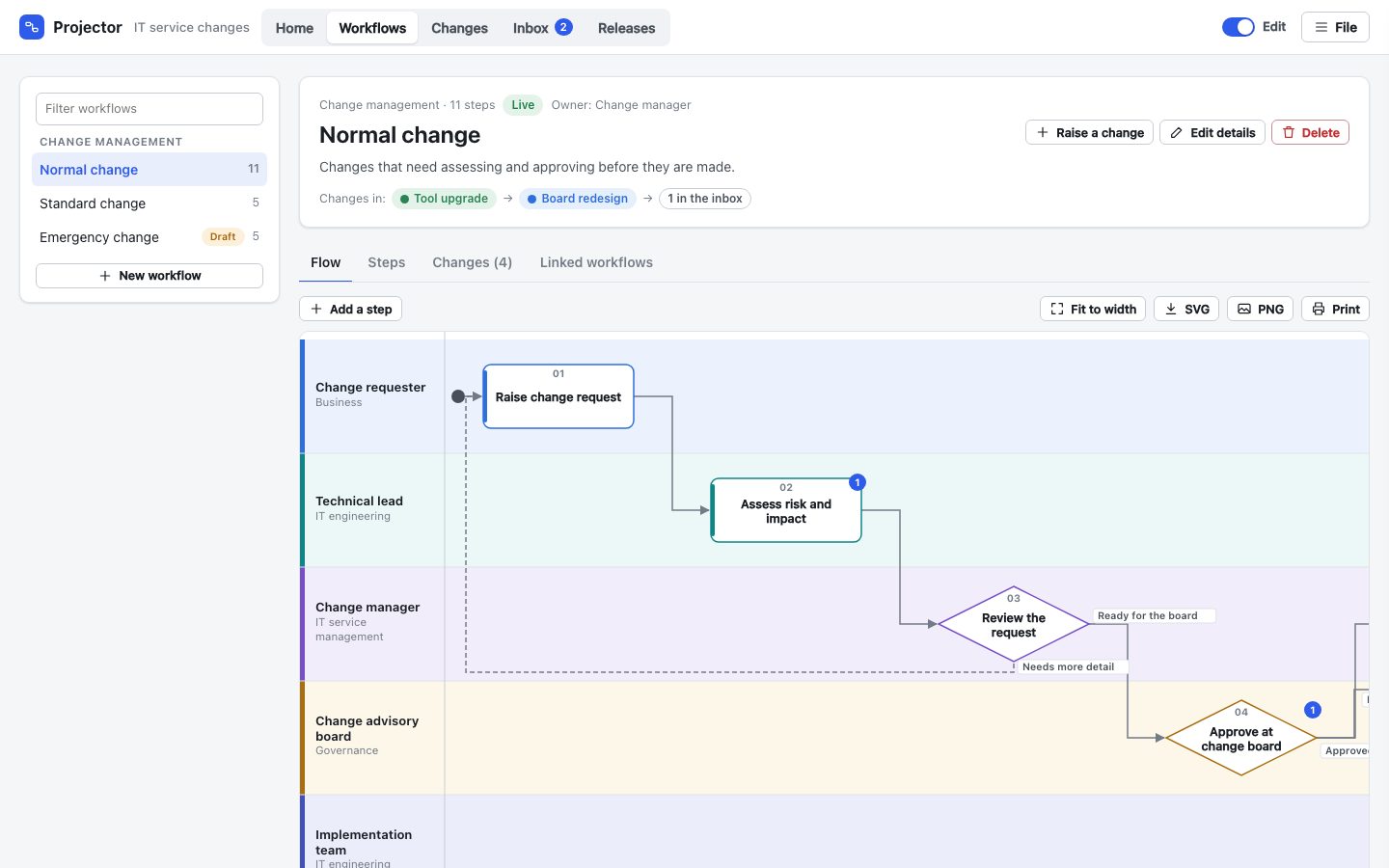
| Workflow | ID | Order | Title | Role | Kind | Next | |
|---|---|---|---|---|---|---|---|
| 2 | WF-01 | ST-001 | 1 | Raise change request | Change requester | task | |
| 3 | WF-01 | ST-002 | 2 | Assess risk and impact | Technical lead | task | |
| 4 | WF-01 | ST-003 | 3 | Review the request | Change manager | decision | ST-004: Ready for the board; ST-001: Needs more detail |
What it does
- Start in seconds: from a template (purchase approval, IT change request, freedom of information request) or by importing steps from any spreadsheet. It guesses which columns hold the workflow, step and role, and you can correct its guesses.
- Swimlane diagrams with one lane per role. Drag steps to reorder them, fit the diagram to the width, and export it as SVG or PNG or print it.
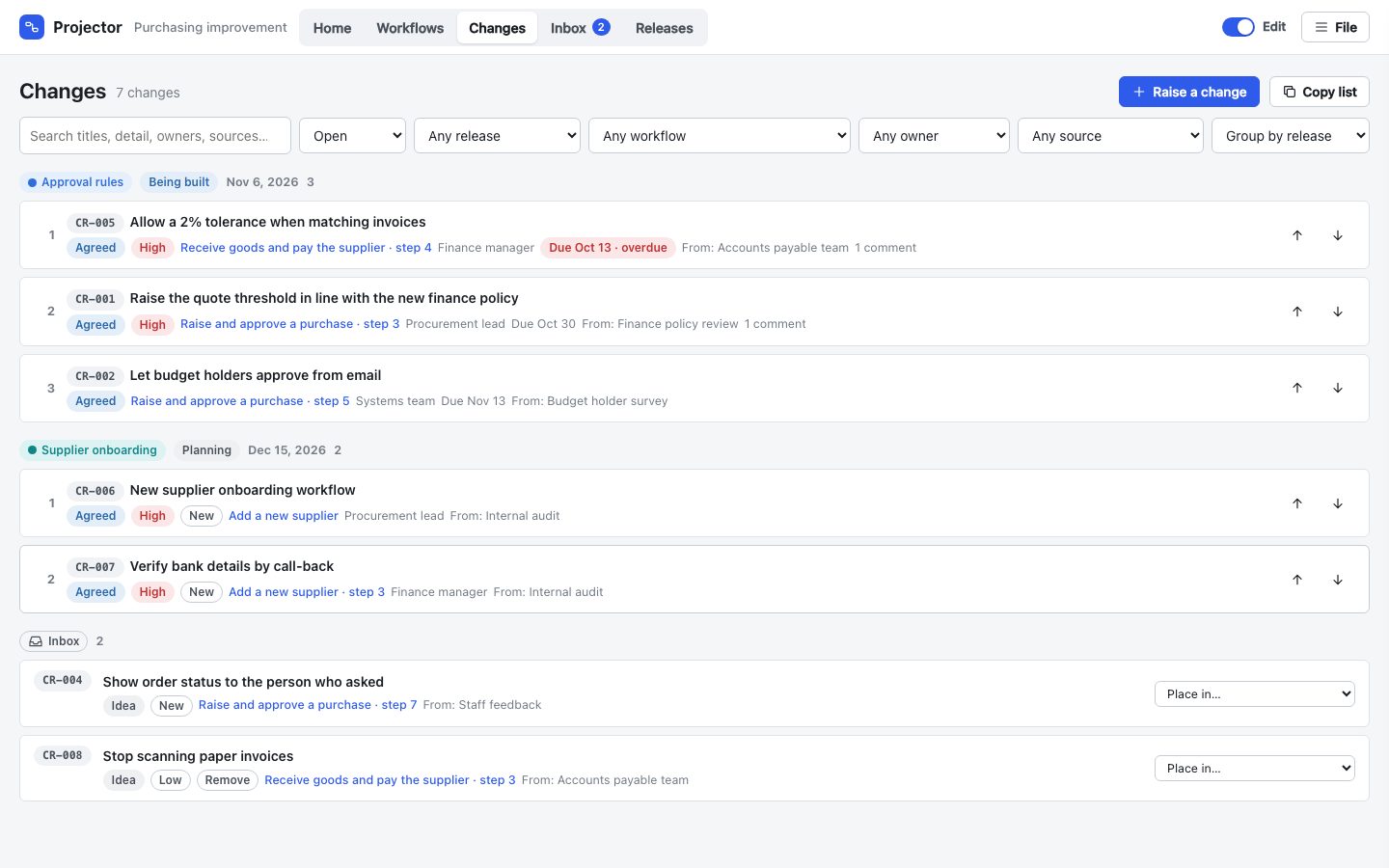
- Change requests (CR-001 onwards), each tied to a workflow or a single step, with a source, an owner, a due date and comments.
- An inbox of requests not yet in a release. Place each one in a release, or say you won't do it.
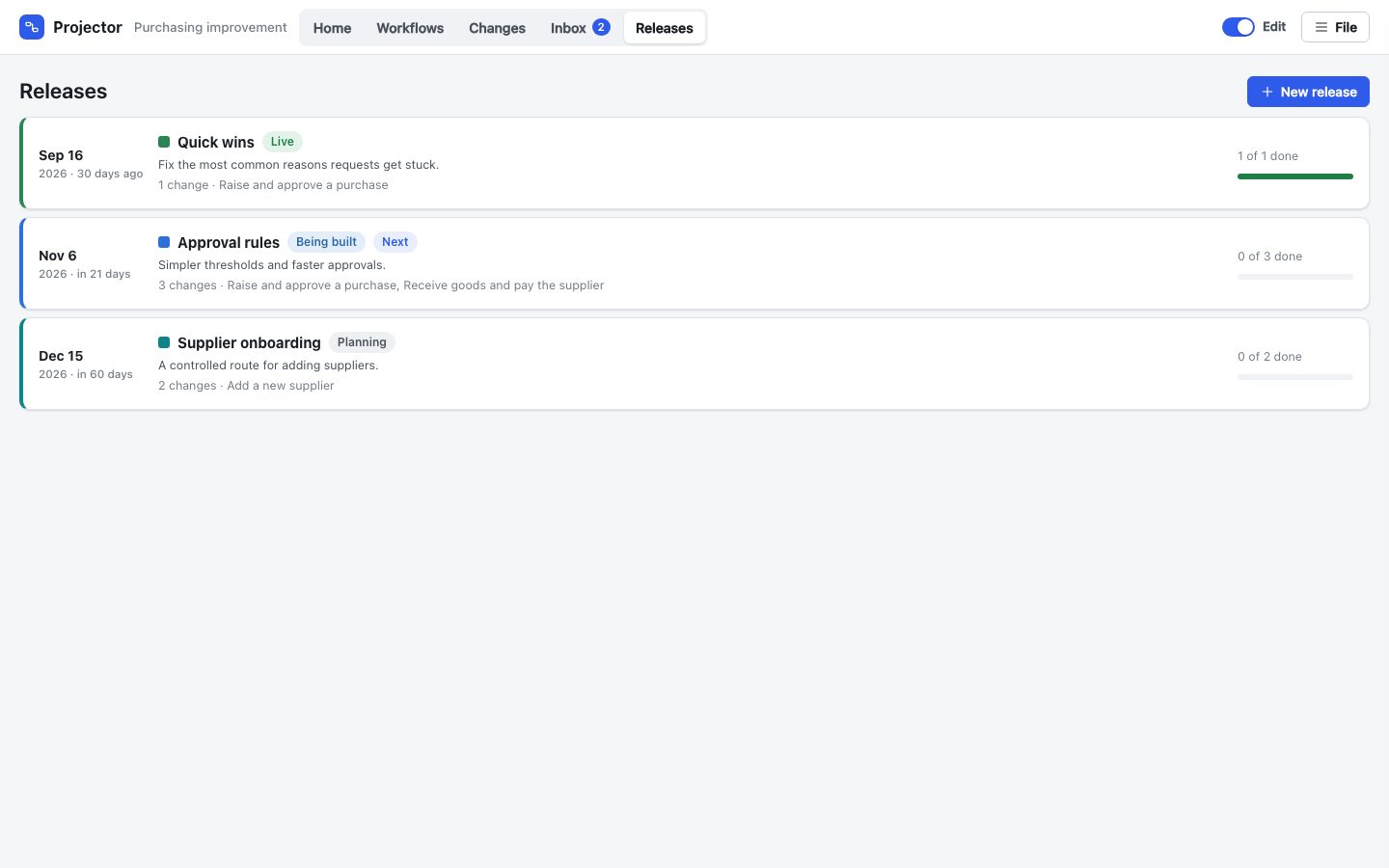
- Releases with dates, goals and progress. Rank the changes in each one, mark it live and copy the release notes.
Governance built in
- The workbook is the record. Columns are found by name, and any columns or tabs a team adds are kept on save.
- Missing IDs and references are filled in on the next save, and numbers are never reused.
- Plain, fixed statuses: Idea, Agreed, Done, Dropped for changes; Planning, Building, Testing, Live for releases.
- Private by default. There's no server and no account, and the file never leaves the machine.
On your own computer
Projector is there to make the job easier, not to add another system to look after. Open it on this site, or download the zip, unzip it and open the file in your browser. Either way, your workbook stays on your computer.
That makes it a fit for organisations that are strict about who owns the data and what gets bought. There's no contract to sign, no new system to bring through procurement and no outside service holding the data. It works with the PC, the browser and the files people already have, inside the rules as they stand.
- Works offline. It never loads anything from the web, so it needs no internet connection.
- Nothing to install: no installer and no admin rights, so there's no wait for IT to approve new software on a locked-down PC.
- No licences or accounts: nothing to buy, no subscription and no sign-in.
- Excel not required. It reads and writes .xlsx files itself, and the workbook still opens in Excel for anyone who has it.
- Which browser: in Chrome or Edge, every change saves straight into the workbook; Safari and Firefox can open and edit it, and save a copy.
Where AI fits
I designed and specified Projector and built it with an AI pair-programmer. Its tests drive the real page in a headless browser against workbooks built from its own templates, all in memory, and they also fail if any client name appears in anything that ships.