Phosphorus Design · Portfolio
Things I've built
Tools that solve the spreadsheet problems offices live with, and personal projects built for my own family. Each one started with a real problem and ended as something that works. I designed them all, built them with AI as a pair-programmer and tested every one in a real browser.
Spreadsheet tools
Keep the spreadsheet, add the tool
Your teams already keep their work in spreadsheets. Each of these tools starts from that workbook: it reads it, shows it clearly and saves changes back into it. Nothing to migrate, nothing new to learn, and one file everyone can trust.
Live now · free, in preview
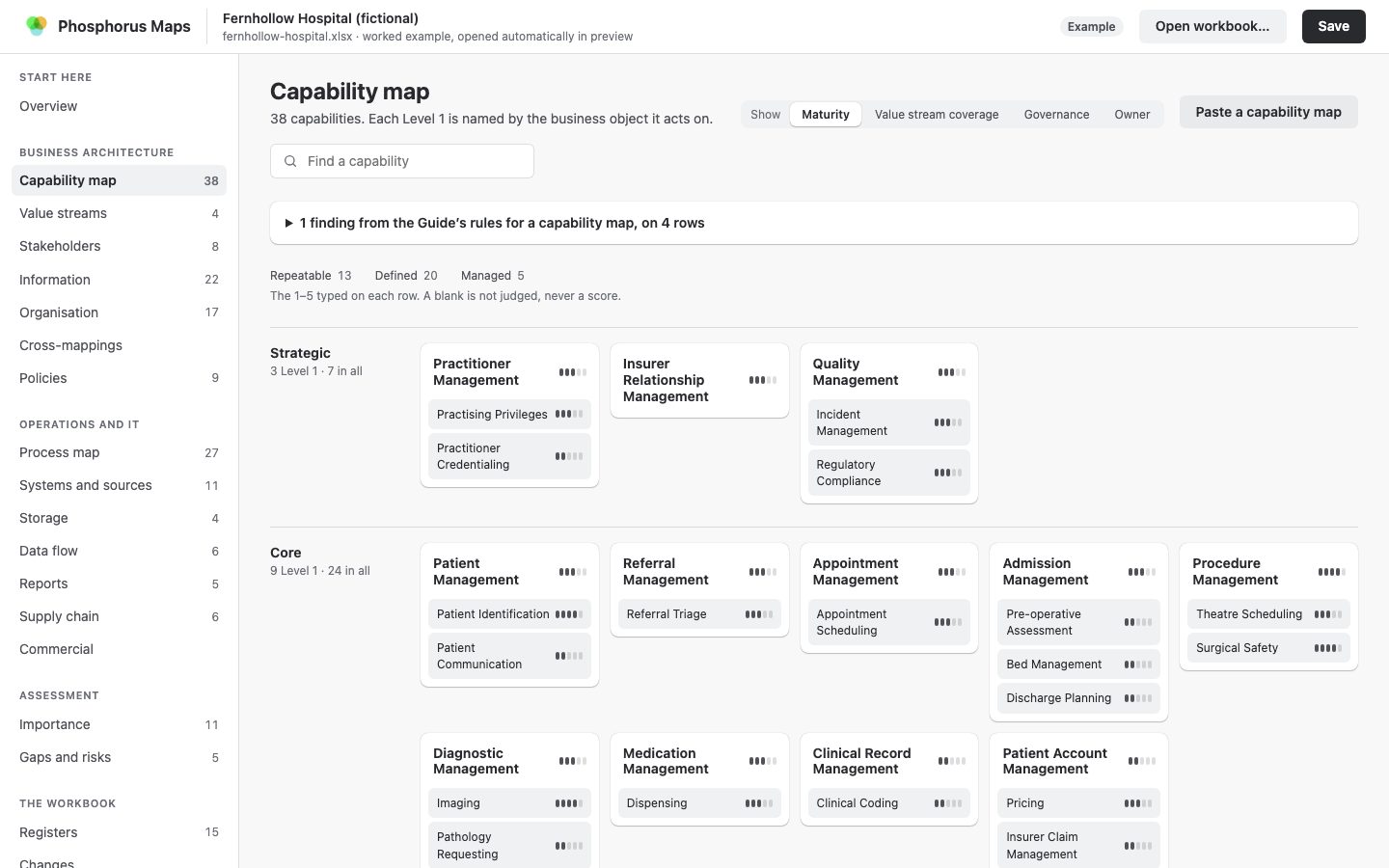
Phosphorus Maps
Business architecture, mapped, with its working shown. It reads the architecture model from the workbook you already keep and draws eighteen blueprints aligned with the BIZBOK® Guide, from capabilities and value streams to systems, data and the supply chain.
- Every answer it works out names the rows it came from
- Where the model and what someone declared disagree, both are shown
- Opens in your browser and saves back to your machine; nothing is uploaded
- Explore an invented worked example, or start from a blank workbook
More tools, more spreadsheet problems
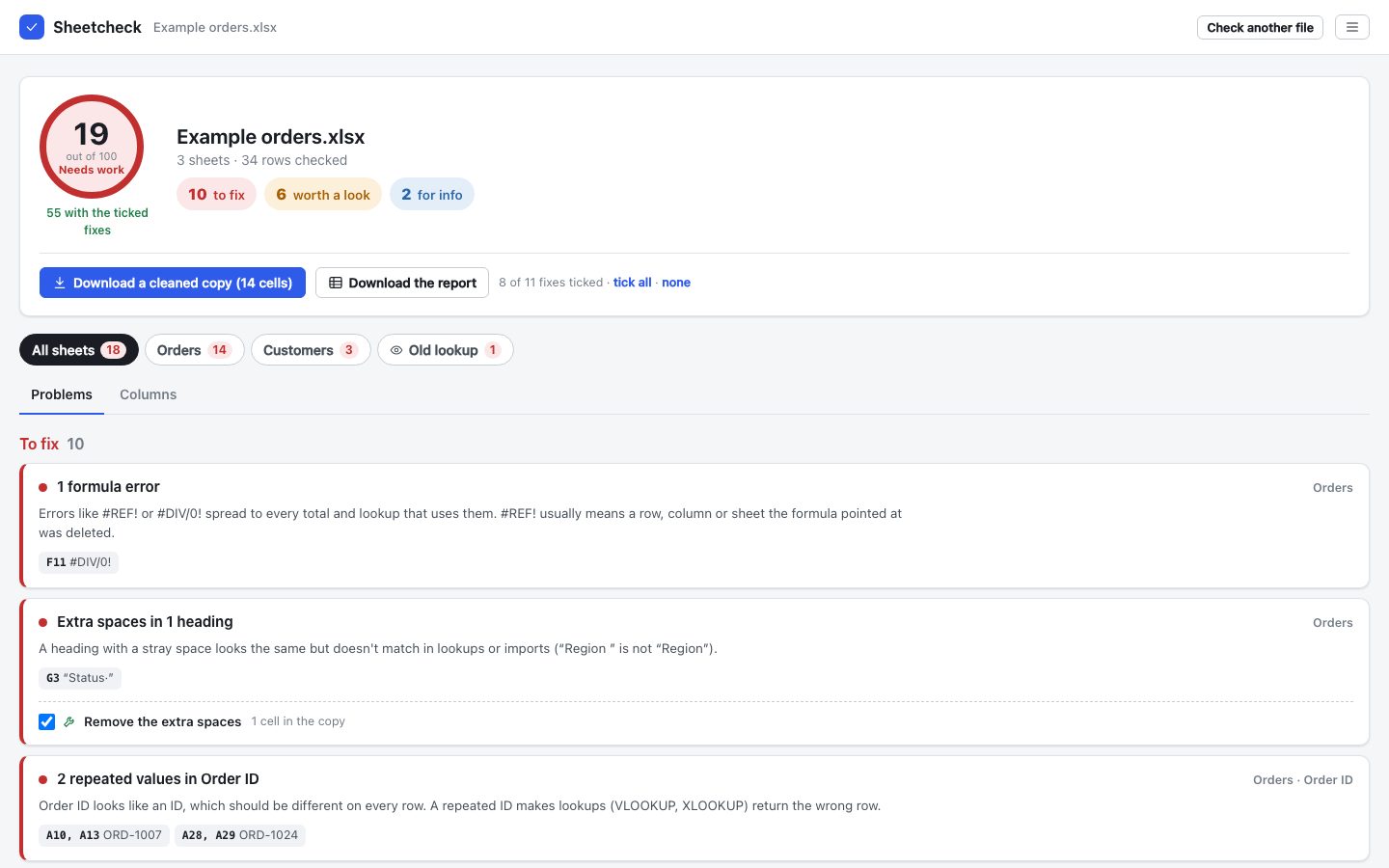
Sheetcheck
A health check for any spreadsheet: it finds numbers stored as text, values written several ways and repeated IDs, explains each one and writes the fixes into a copy.
Reads any Excel workbook or CSV, never changes it
No website · a single HTML file
Open it, use it, get on with your day
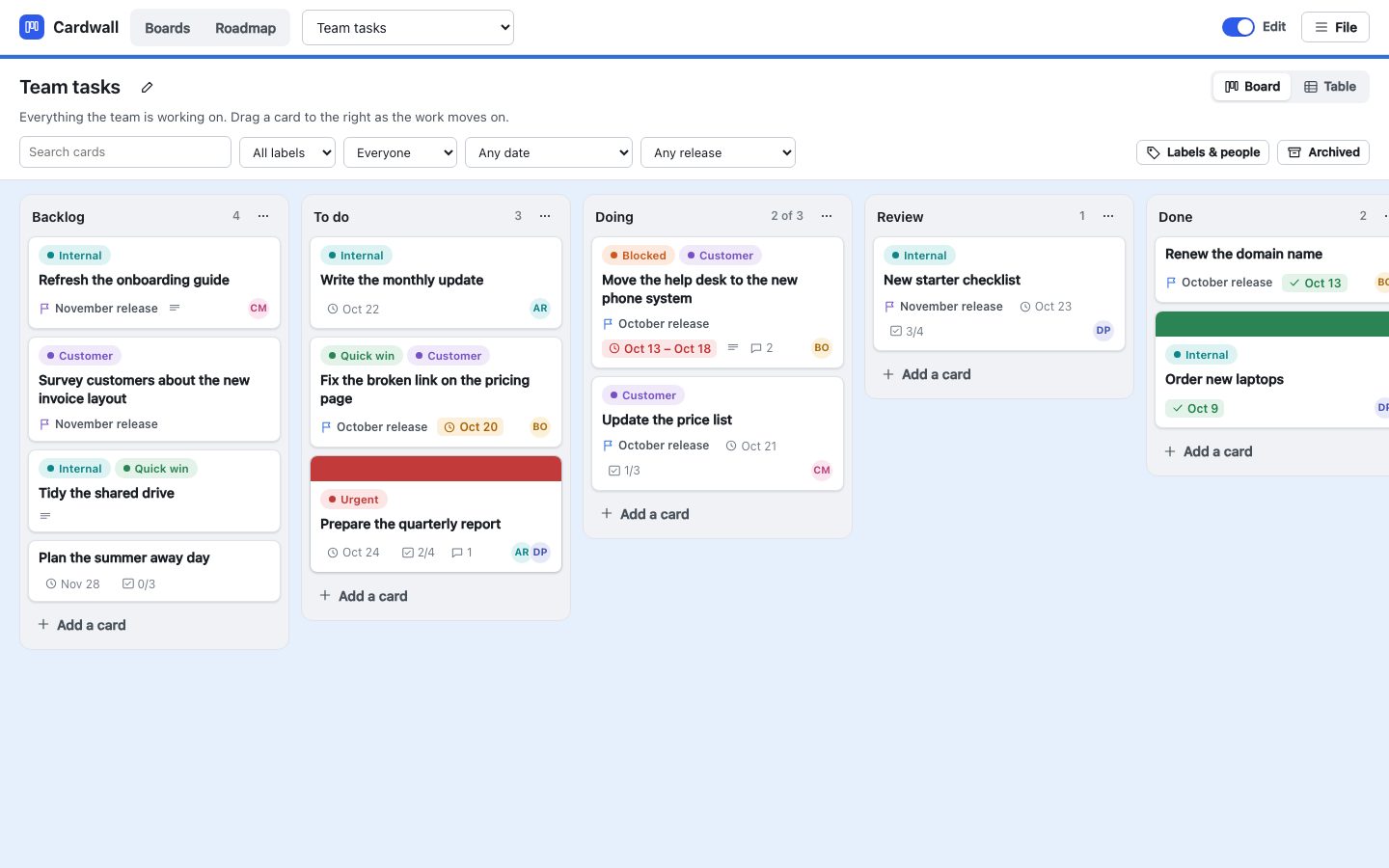
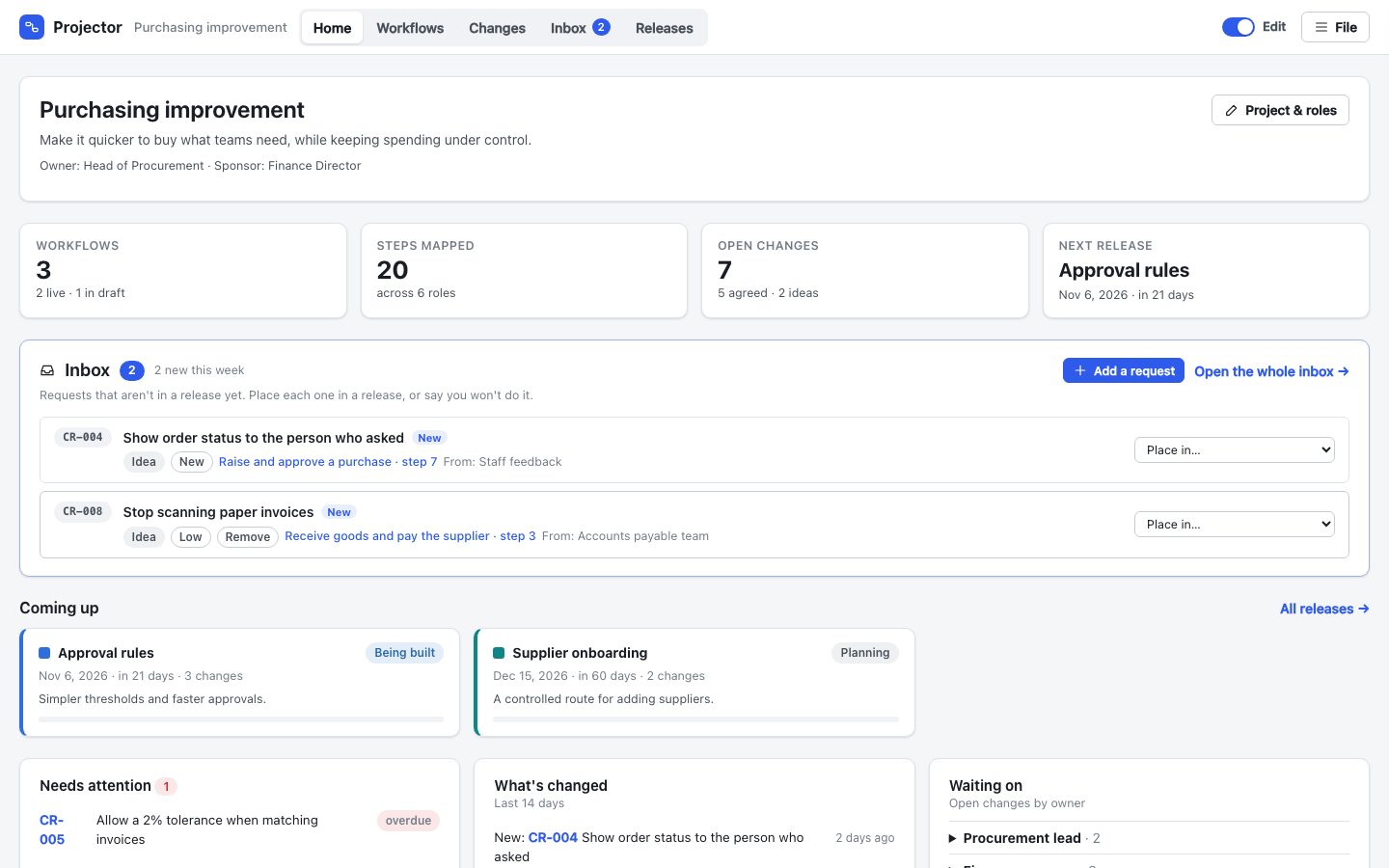
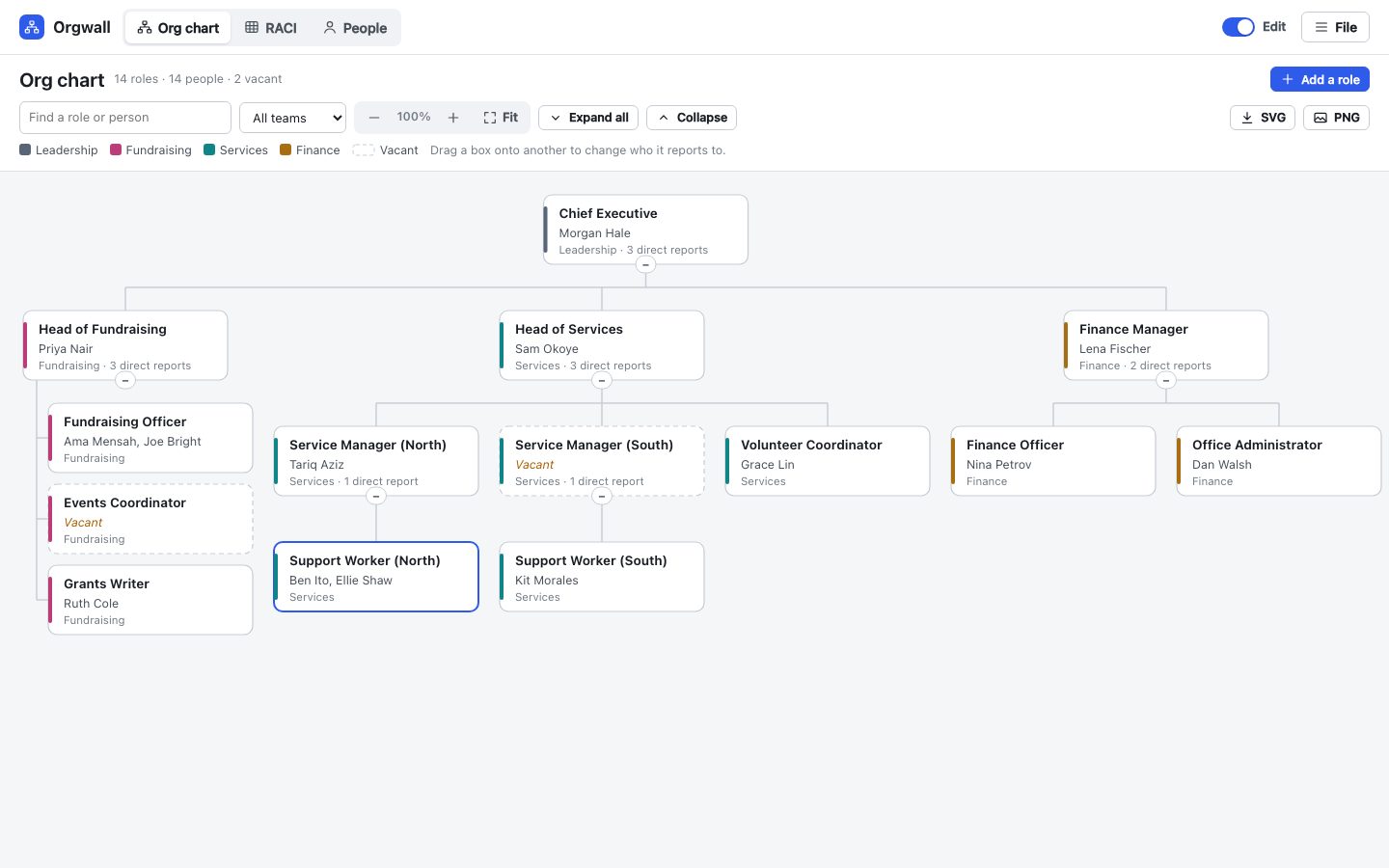
Cardwall, Projector, Sheetcheck and Orgwall are there to take the fiddly work out of a spreadsheet, not to add another system to look after. Each one is a single page that runs in your browser: open it here on this site, or download it and open it on your own computer. Either way, your workbook stays on your computer; nothing is uploaded. There's nothing else to set up.
They're made for the places where new software is hard to come by: where every tool needs a business case, a procurement process and a security review, and the data isn't allowed to leave the organisation. There's nothing to buy, install or connect, and no outside service holds the data, so the tools can often be used within the rules as they stand, on the PCs and files people already have.
- Works offlineNo internet connection needed. The tools never load anything from the web, so they work the same on a train, at home or on an office network that blocks most sites.
- Nothing to installIt's a web page you open from a folder, so there's no installer, no admin rights and no wait for IT to approve new software.
- No licences or accountsNothing to buy, no subscription, no sign-in and no seats to count.
- Excel not requiredThe tools read and write .xlsx files themselves. The workbook still opens in Excel for anyone who has it.
- Your data stays where it isNothing is uploaded. The workbook stays on your computer, in the folder where you keep it.
- Any modern browserIn Chrome or Edge, Cardwall, Projector and Orgwall save each change straight into the workbook; Safari and Firefox save a copy instead. Sheetcheck works the same in all four.
Personal projects
Built for home
Some problems aren't at work. These are things I've built for myself and my family, and then finished properly so other people can use them too.
☘️ Made in Ireland · Free to use · Live
Bopstars
Plan the family week. Reward the kids for showing up.
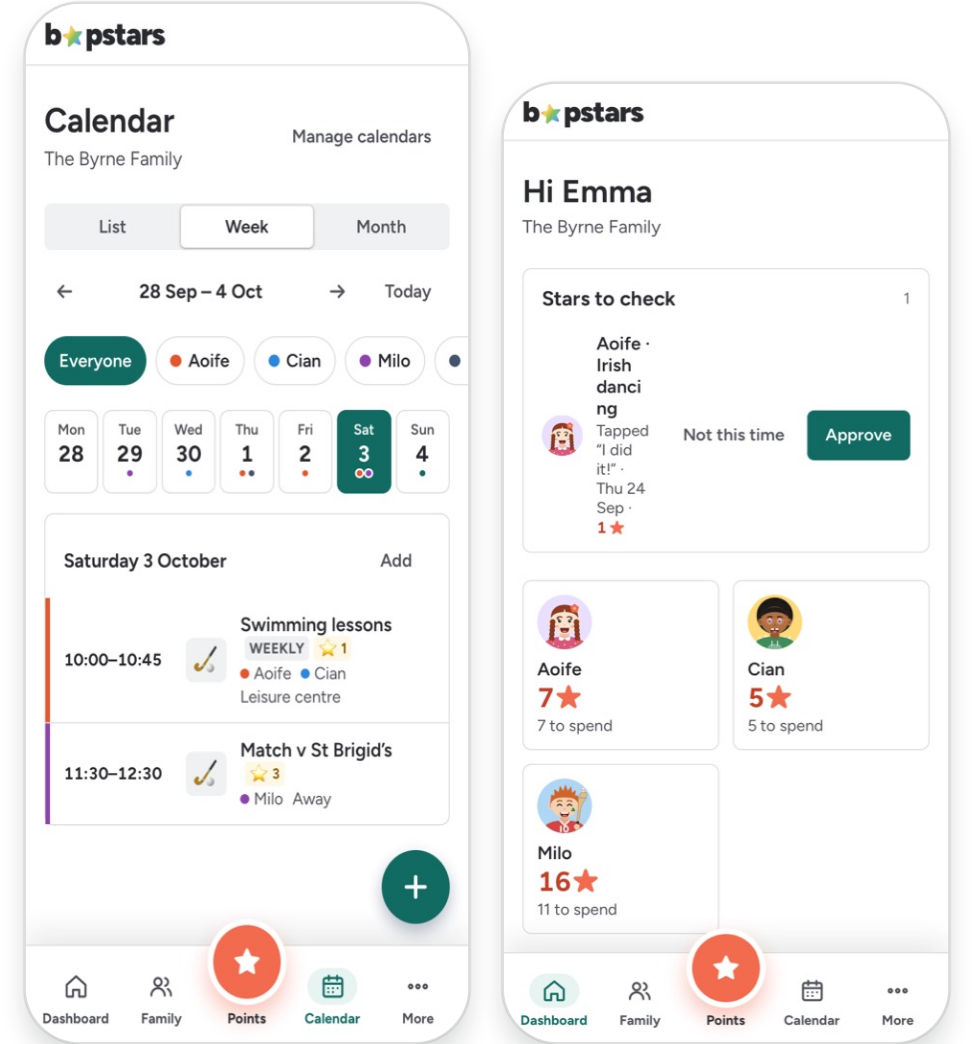
A shared family calendar where children earn stars for turning up, so a cold, wet Saturday-morning match finally gets the credit it deserves. I built it for my own family, then finished it as a complete public product.
- 👥 Shared between parents
- ⭐ Stars for turning up
- 🎯 Kids know what's coming
- 🛍️ A rewards shop they save for
- 🔒 Kid mode behind a parent PIN
How I build
The same rules every time
- Strategy before softwareA tool is only as good as the model of the business behind it. I start with capabilities and value streams, laid out using the BIZBOK® Guide, before any screens.
- The data stays with its ownerThe spreadsheet tools read and write the user's own files, in place. Nothing is uploaded, and there's no new database to look after.
- Show the workingEvery derived answer names the rows it came from. When two sources disagree, both are shown, and nothing is quietly smoothed over.
- Governed by designColumns are found by name, values come from agreed lists, and checks flag gaps and clashes before they spread.
- AI as a pair-programmerAI writes much of the code, and I decide what gets built and why. Every change runs through automated tests in a real browser.
- Plain wordsLabels people understand on day one: "Inbox", "Agreed", "Live". If a screen needs a manual, the screen is wrong.