The problem
The org chart usually lives in a slide, redrawn by hand whenever someone joins or leaves. The RACI lives in a separate spreadsheet that names roles the chart no longer has. Neither shows the obvious problems: a vacant role that's still accountable for something, an activity that nobody owns, or two people who each think they own it.
The approach
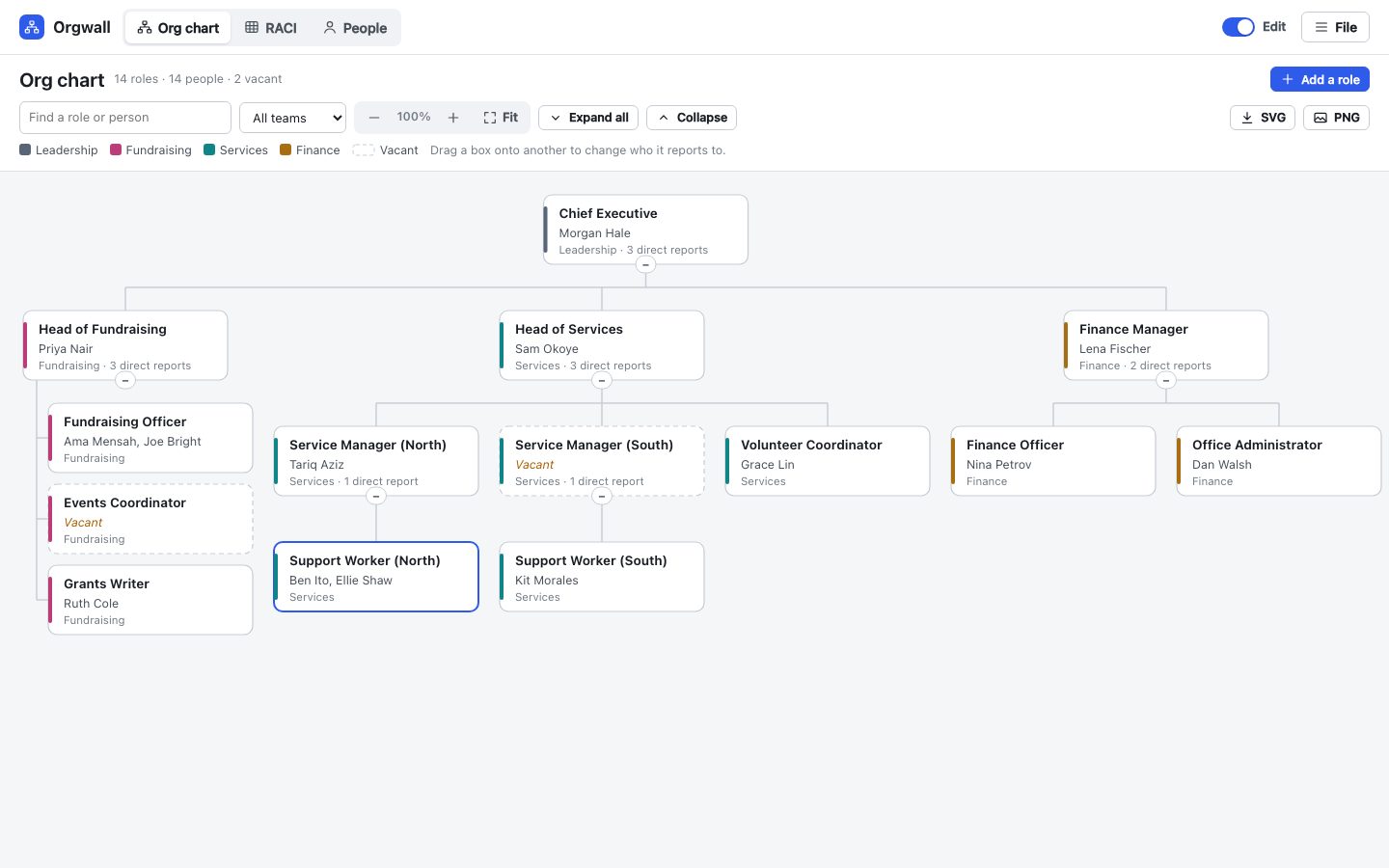
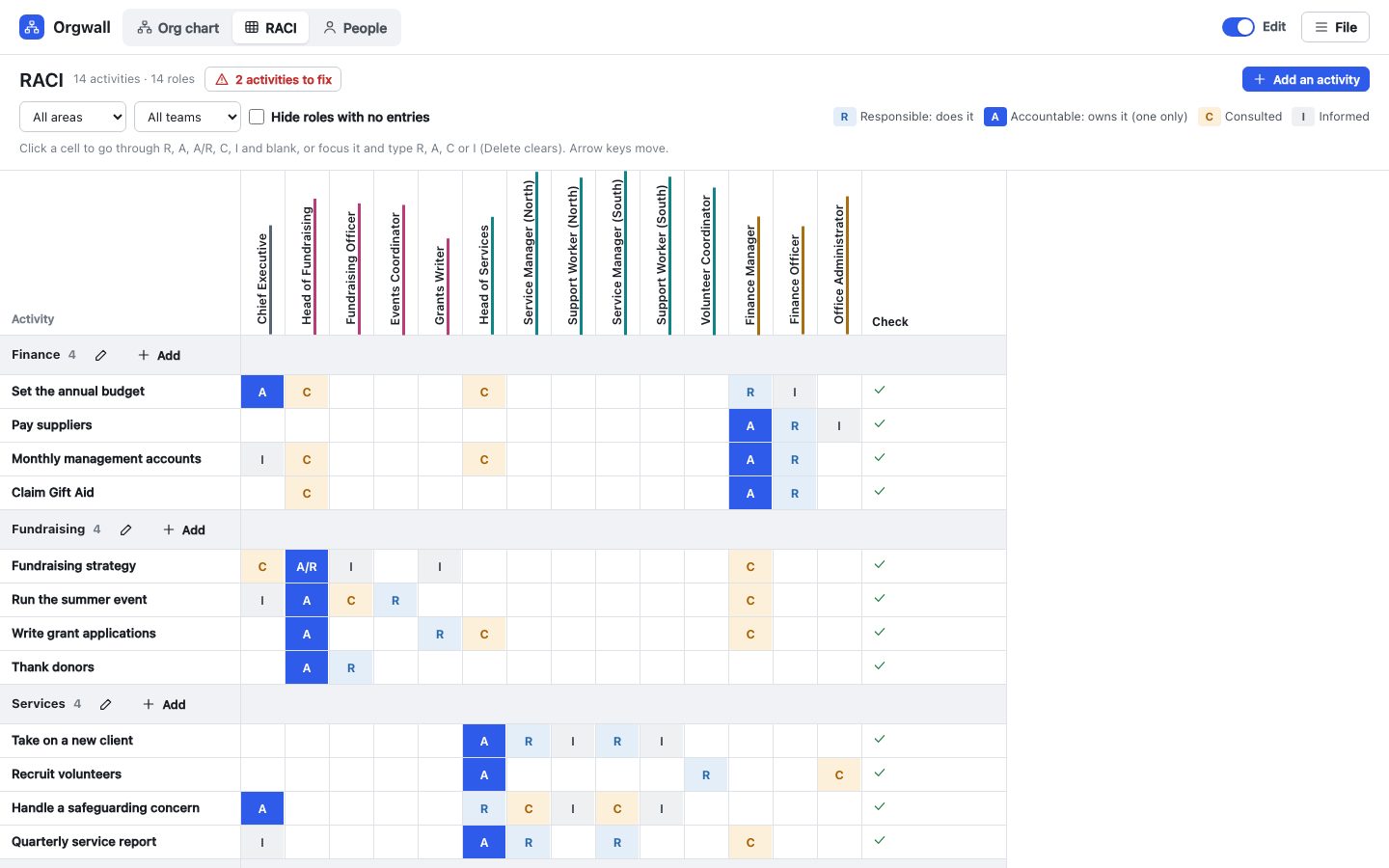
Orgwall keeps roles, people and activities in one workbook and draws both views from it. RACI is assigned to roles, not people, and people sit in roles. When someone leaves, their role stays on the chart as vacant, and its responsibilities stay in the matrix. Activities are grouped by area down the side of the matrix, and roles run across the top in chart order.
The workbook
One table per tab: Teams, Roles, People, Activities and RACI. Columns are found by name, and columns or tabs Orgwall doesn't know about are kept when it saves. Next to each ID column is a readable twin (a role's title, an activity's name) that Orgwall fills in, so the workbook still makes sense when it's opened in Excel. In Excel, people can type a title instead of an ID, and a new title adds that role or activity.
| Activity | Role | RACI | Activity name | Role title | |
|---|---|---|---|---|---|
| 2 | A2 | R4 | A | Pay suppliers | Finance Manager |
| 3 | A2 | R13 | R | Pay suppliers | Finance Officer |
| 4 | A2 | R14 | I | Pay suppliers | Office Administrator |
What it does
- An org chart drawn from roles and reporting lines. Drag a box onto another to change who it reports to, hide or show a branch, find a role or person, highlight a team, and export the chart as SVG or PNG.
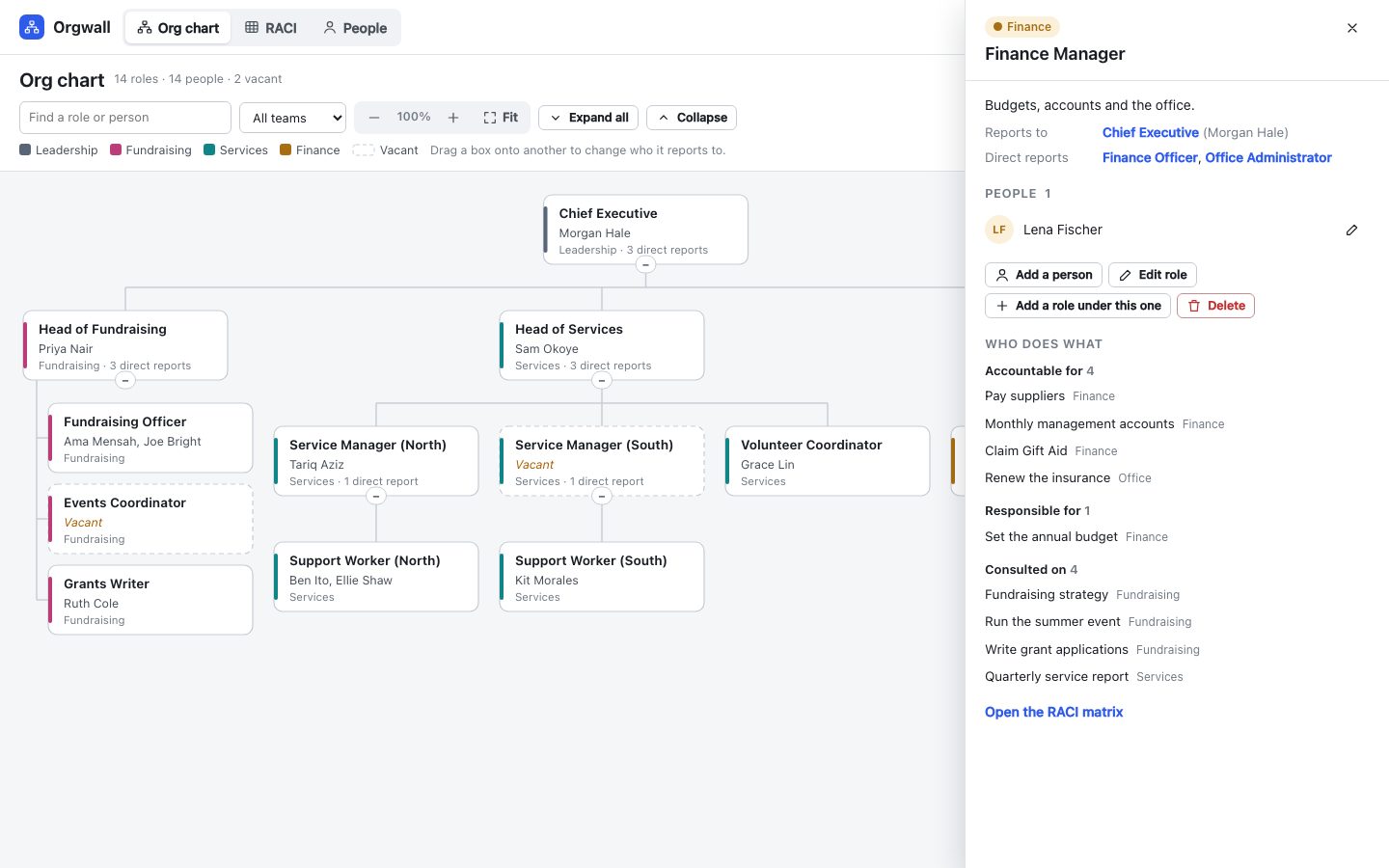
- A panel for every role: its manager, direct reports and people, and what it's Accountable, Responsible, Consulted and Informed on.
- A RACI matrix: click a cell to cycle through R, A, A/R, C, I and blank, or type the letter. Filter by area or team.
- People: everyone with their role, team and manager, and the vacant roles with a "Fill it" button.
- An Edit switch: with it off, the page is read-only and safe to show on screen.
Governance built in
- Every activity is checked: a Check column flags an activity with no Accountable, more than one, or no Responsible. A Load row counts each role's A and R.
- Safe edits: a role can't be moved under its own reports. Deleting a role moves its reports up to its manager.
- Hand edits are tidied: "A/R" and "R/A" are stored the same way, and two rows for the same activity and role are merged.
- Private by default. There's no server and no account, and the file never leaves the machine.
On your own computer
Orgwall is there to make the job easier, not to add another system to look after. Open it on this site, or download the zip, unzip it and open the file in your browser. Either way, your workbook stays on your computer.
That makes it a fit for organisations that are strict about who owns the data and what gets bought. There's no contract to sign, no new system to bring through procurement and no outside service holding the data. It works with the PC, the browser and the files people already have, inside the rules as they stand.
- Works offline. It never loads anything from the web, so it needs no internet connection.
- Nothing to install: no installer and no admin rights, so there's no wait for IT to approve new software on a locked-down PC.
- No licences or accounts: nothing to buy, no subscription and no sign-in.
- Excel not required. It reads and writes .xlsx files itself, and the workbook still opens in Excel for anyone who has it.
- Which browser: in Chrome or Edge, every change saves straight into the workbook; Safari and Firefox can open and edit it, and save a copy.
Where AI fits
I designed and specified Orgwall and built it with an AI pair-programmer, reusing the workbook engine I'd built for Cardwall. Its tests drive the real page in a headless browser against workbooks held in memory, so no file on disk is touched. They also fail if any client name appears in anything that ships.